# Can erase segment but not draw
**URL:** https://discourse.slicer.org/t/can-erase-segment-but-not-draw/8210
**Category:** Support
**Tags:** segmentation
**Created:** [August 28, 2019, 4:49pm UTC](https://discourse.slicer.org/t/can-erase-segment-but-not-draw/8210 "2019-08-28T16:49:46Z")
**Posts on this page:** 5
**Page:** 1
### Author:  [@JoeCrozier](https://discourse.slicer.org/u/JoeCrozier)
#### Post date: [August 28, 2019, 4:49pm UTC](https://discourse.slicer.org/t/can-erase-segment-but-not-draw/8210/1 "2019-08-28T16:49:46Z")
Slicer 4.11.0
Windows 10 Pro
Hello, hopefully this question has not been answered before. If so, please point me in the right direction.
I have a patient I am trying to create segmentation for, in order to 3d print the results. I am working off two different MRI scans of the patient, one of these volumes is Axial, one coronal. I created the segmentation off of the Coronal scan, like so:
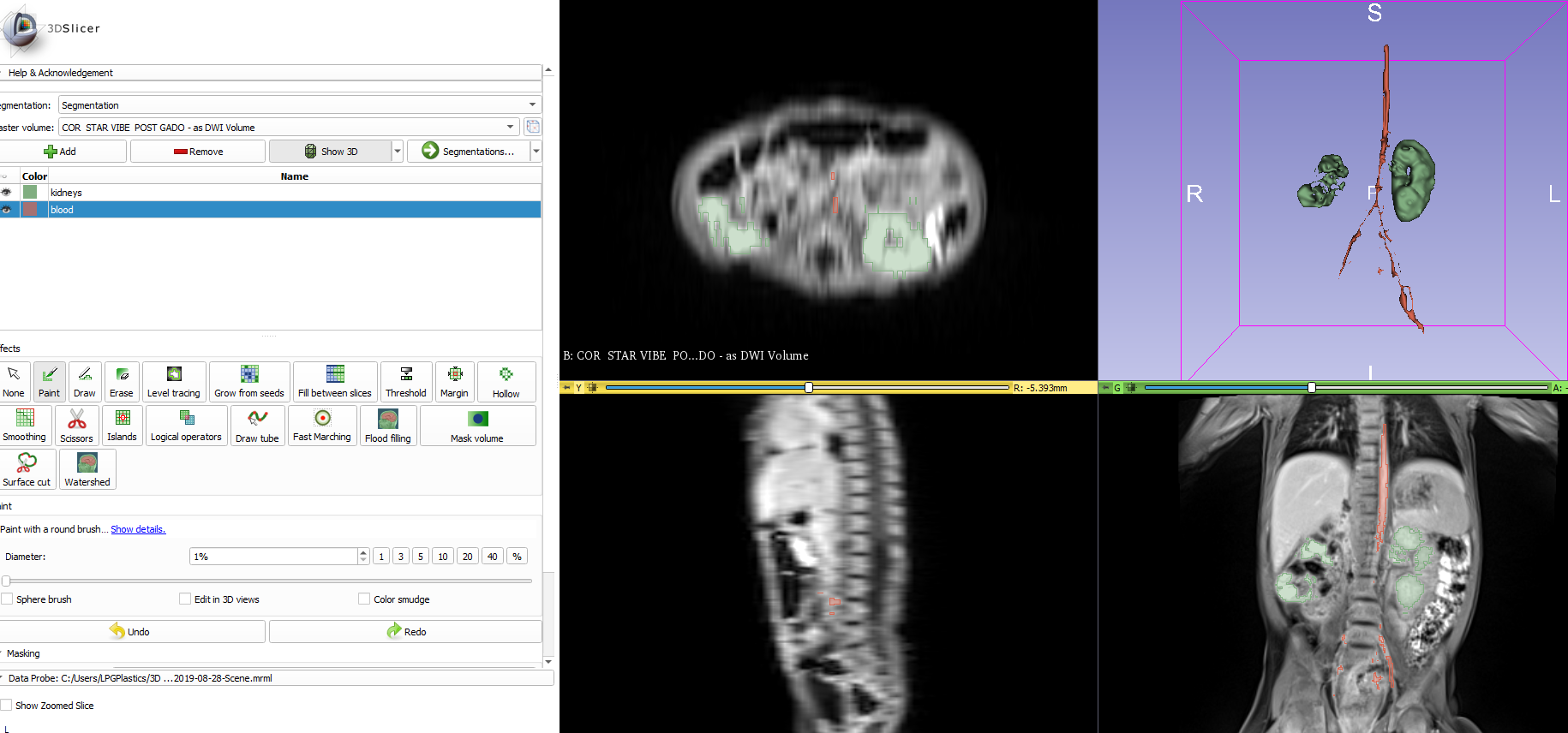
But sometimes I’ll jump over to the axial view (by loading that volume) to cross reference what I’m doing. When I’ve loaded that axial volume I have two questions:
1- It seems to get all blocky (like the below picture), anything I can do to fix that?
2- I can use the “erase” segment editor tool to erase things that are clearly in the wrong spot, but if I try to “paint” a segment, it seems to only work if my paint diameter is 3% or over, if its 2% or smaller I’ll paint and nothing shows up. When I do get something to show up using the right diameter brush it seems off center of where I painted. Any ideas?

---
### Author:  [@aiden.zhu](https://discourse.slicer.org/u/aiden.zhu)
#### Post date: [August 28, 2019, 5:11pm UTC](https://discourse.slicer.org/t/can-erase-segment-but-not-draw/8210/2 "2019-08-28T17:11:08Z")
Have you tried draw a circle and then right-click mouse to accept it.

Or try to update the slicer to see how it goes.
---
### Author:  [@JoeCrozier](https://discourse.slicer.org/u/JoeCrozier)
#### Post date: [August 28, 2019, 5:20pm UTC](https://discourse.slicer.org/t/can-erase-segment-but-not-draw/8210/3 "2019-08-28T17:20:53Z")
That helps workaround the “not working” problem, but it still comes out blocky, see below:

---
### Author:  [@aiden.zhu](https://discourse.slicer.org/u/aiden.zhu)
#### Post date: [August 28, 2019, 5:26pm UTC](https://discourse.slicer.org/t/can-erase-segment-but-not-draw/8210/4 "2019-08-28T17:26:20Z")
could you check the two scans volume-info firstly to see if they are matched? When you do cross-reference, is there any resampling ?
---
### Author:  [@cpinter](https://discourse.slicer.org/u/cpinter)
#### Post date: [August 28, 2019, 5:35pm UTC](https://discourse.slicer.org/t/can-erase-segment-but-not-draw/8210/5 "2019-08-28T17:35:22Z")
You selected the DWI volume as master but you’re segmenting the anatomical MRI.
Either create a new segment and choose the proper master, or change the geometry of the existing one (click the box icon next to the master selector and choose the MRI as reference - you can make it isotropic etc too there).