I’ve had a look at how ITK-Snap computes window/level (AbstractContinuousImageDisplayMappingPolicy::AutoFitContrast()) and it seems that it just uses linear scale between 0.1%-99.9% range of the image. We do the same in the regional auto-contrast (Ctrl + Left-click-and-drag in Adjust window/level mode). The limitation is that it always creates relatively low-contrast images (does not try to determine what is the relevant signal in the image).
Slicer’s auto window/level algorithm performs bimodal analysis of the image - it assumes that image consists of signal corrupted by noise and determines a window/level that optimizes visibility of the signal. In general this creates images with much better contrast, but it may make the image contrast too high if the image histogram’s first local maximum is not the actual signal’s peak.
Example: MRBrainTumor1 sample data set
ITK-Snap auto-adjust contrast produces very dark, low-contrast image:

Slicer’s auto window/level makes relevant details more visible:

The new mouse mode makes it easy to get ITK-Snap-like broad, low contrast images by selecting a large region of interest:

Or you can get good contrast in a very specific region:
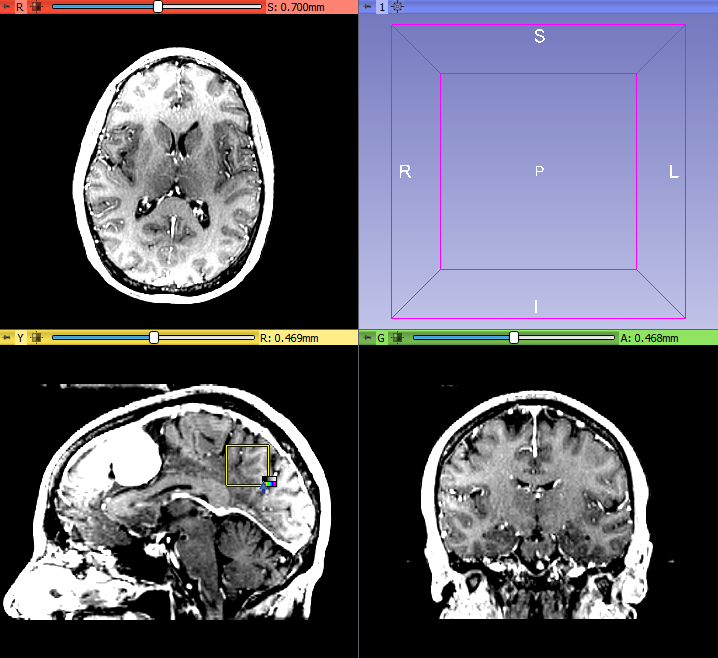
So, I think the current options for manual window/level adjustments cover most use cases quite well. Of course, there is always room for improvement, for example what may be missing:
- loading of default window/level preset from DICOM and other file formats that can store window/level
- setting WW/WL to multiple volumes at the same time could be useful, but I don’t know where and how on the GUI we should offer this feature (maybe it could be added as a menu action in the subject hierarchy tree)
If anybody would want to see improvements in these then we can discuss it further here and/or add an item in the issue tracker.