# I can't remove the slice visibility in my 3d views...
**URL:** https://discourse.slicer.org/t/i-cant-remove-the-slice-visibility-in-my-3d-views/45725
**Category:** Support
**Tags:** views
**Created:** [January 9, 2026, 8:44pm UTC](https://discourse.slicer.org/t/i-cant-remove-the-slice-visibility-in-my-3d-views/45725 "2026-01-09T20:44:26Z")
**Posts on this page:** 5
**Page:** 1
### Author:  [@Nednao](https://discourse.slicer.org/u/Nednao)
#### Post date: [January 9, 2026, 8:44pm UTC](https://discourse.slicer.org/t/i-cant-remove-the-slice-visibility-in-my-3d-views/45725/1 "2026-01-09T20:44:26Z")
Hi everyone, I hope you’re all doing well.
I have a small problem in my 3D view. There is an orange outline displaying the Dorso-Ventral slice visibility of my specimen. I know that I can enable this kind of option by clicking on the eye icone at the top of each view (sagittal, axial and coronal), but none of them are currently enabled… (as you can see in the pictures below). So my question is how can I remove this option ?
(sorry for the blue squares, but I’m not allowed to share these data…)
Otherwise, I’ll have to save each data independently, and then gather them in a new document, which I would like to avoid because my computer will suffer 😂
Thanks in advance ! Ned.


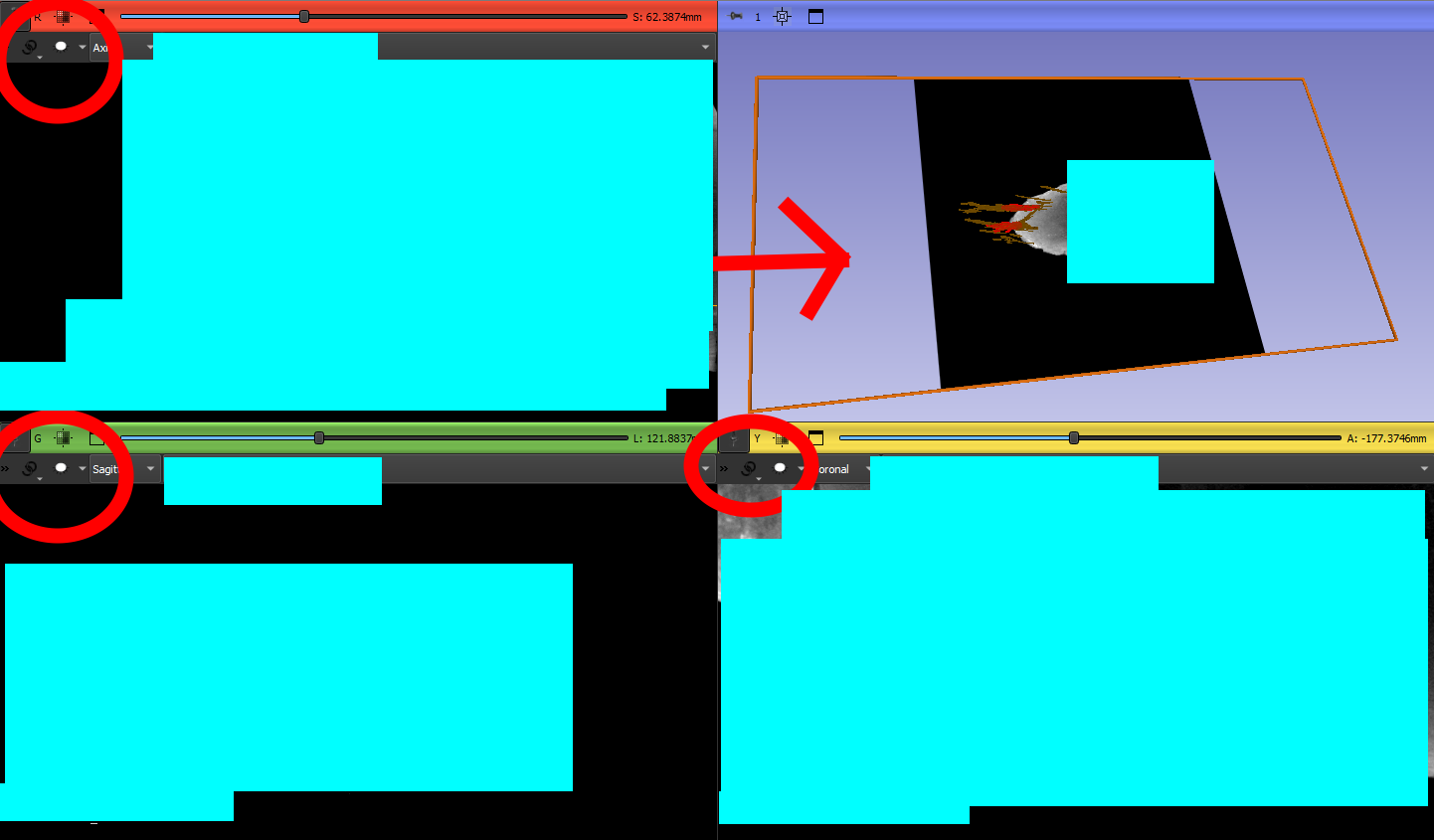
---
### Author:  [@Deep\_Learning](https://discourse.slicer.org/u/Deep_Learning)
#### Post date: [January 10, 2026, 8:19am UTC](https://discourse.slicer.org/t/i-cant-remove-the-slice-visibility-in-my-3d-views/45725/2 "2026-01-10T08:19:33Z")
what version are you using? there was a bug that was fixed.
---
### Author:  [@Nednao](https://discourse.slicer.org/u/Nednao)
#### Post date: [January 10, 2026, 2:38pm UTC](https://discourse.slicer.org/t/i-cant-remove-the-slice-visibility-in-my-3d-views/45725/3 "2026-01-10T14:38:15Z")
Hi ! I use the 5.8.1. I’m using it for a long now, without any problem… I also tryed with the 5.10 version and I still have the same problem…
---
### Author:  [@Nednao](https://discourse.slicer.org/u/Nednao)
#### Post date: [January 10, 2026, 3:03pm UTC](https://discourse.slicer.org/t/i-cant-remove-the-slice-visibility-in-my-3d-views/45725/4 "2026-01-10T15:03:03Z")
I resolved it ! I had to disable the ‘‘eye’ icone in the 2 viewers comparative view…
---
### Author:  [@Deep\_Learning](https://discourse.slicer.org/u/Deep_Learning)
#### Post date: [January 10, 2026, 4:49pm UTC](https://discourse.slicer.org/t/i-cant-remove-the-slice-visibility-in-my-3d-views/45725/5 "2026-01-10T16:49:39Z")
> [@Red Boundary/Border Around Frame in Version 5.8.1](https://discourse.slicer.org/t/red-boundary-border-around-frame-in-version-5-8-1/43285):
>
> I’m using Slicer to acquire and record sequences in real-time via the PLUS server. I’ve recently started using version 5.8.1, and I’ve noticed a red boundary appearing around the acquired sequence. My issue is that even after I click on “Close Scene” to close the current acquisition and open a new one, this red boundary persists, even though there’s nothing actually inside it Am I missing something here? Thank you in advance for your help!
There is another post that i cannot find….