# Model (.VTK mesh) to Segment or Label Map for Remeshing
**URL:** https://discourse.slicer.org/t/model-vtk-mesh-to-segment-or-label-map-for-remeshing/15194
**Category:** Support
**Created:** [December 23, 2020, 3:05am UTC](https://discourse.slicer.org/t/model-vtk-mesh-to-segment-or-label-map-for-remeshing/15194 "2020-12-23T03:05:08Z")
**Posts on this page:** 6
**Page:** 1
### Author:  [@Fluvio\_Lobo](https://discourse.slicer.org/u/Fluvio_Lobo)
#### Post date: [December 23, 2020, 3:05am UTC](https://discourse.slicer.org/t/model-vtk-mesh-to-segment-or-label-map-for-remeshing/15194/1 "2020-12-23T03:05:09Z")
Hello (and happy holidays to all),
Our group is using 3DSlicer to reconstruct DICOM-datasets, mesh them using the Segment Mesher module (and Cleaver), and running a simulation using FEBio [_(more here)_](https://discourse.slicer.org/t/meshing-self-intersecting-faces/13588).
For some simulations, remeshing is done using tetgen externally.
We were wondering if it is possible to import a mesh (.VTK) as a model (with multiple materials) and reconstruct a segmentation or a label map that could then be re-meshed using the Segment Mesher module and Cleaver.
Thank you!
---
### Author:  [@lassoan](https://discourse.slicer.org/u/lassoan)
#### Post date: [December 23, 2020, 3:31am UTC](https://discourse.slicer.org/t/model-vtk-mesh-to-segment-or-label-map-for-remeshing/15194/2 "2020-12-23T03:31:34Z")
Yes, sure, you can import each mesh (model node) as a segment into the segmentation node and do your workflow as usual.
If the mesh contains several closed surfaces, each with a different associated scalar value then you can use that scalar value to extract segments one by one, using vtkThreshold filter.
---
### Author:  [@Fluvio\_Lobo](https://discourse.slicer.org/u/Fluvio_Lobo)
#### Post date: [December 29, 2020, 8:16pm UTC](https://discourse.slicer.org/t/model-vtk-mesh-to-segment-or-label-map-for-remeshing/15194/3 "2020-12-29T20:16:04Z")
Andras,
Thank you for your response. I think I may need some additional help though.
This is what I have done;
- I imported the VTK model. Keep in mind that, in my case, the VTK is an a full volumetric mesh and follows the same 4.2 format exported by 3D Slicer.

- Then I run the VTK filter, using the Python terminal, to split the mesh into sub-meshes.

- Convert each sub-mesh or sub-model to a segmentation node
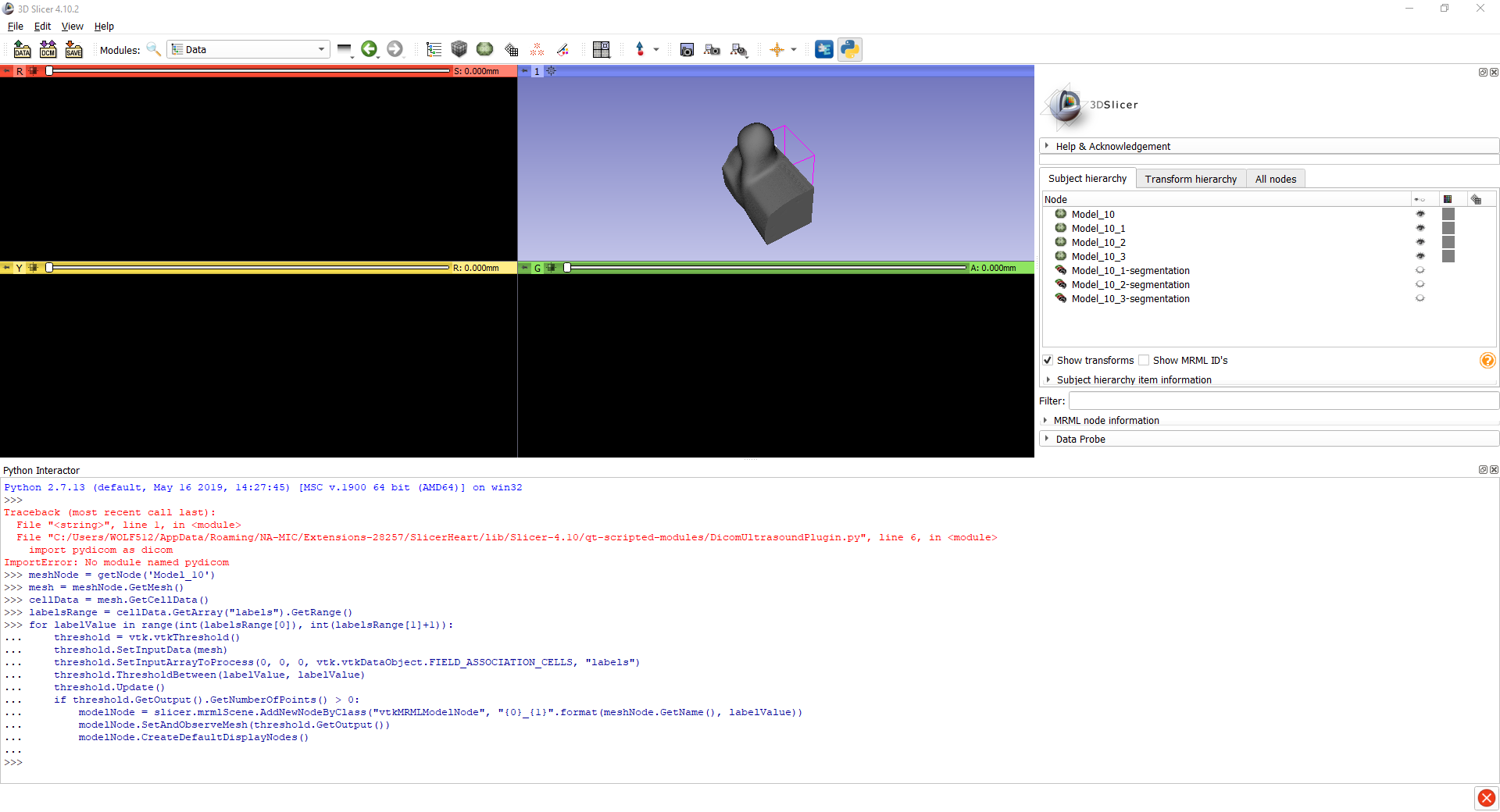
Here I can mesh each segmentation, but not all of them combined. Is there a way of combining the segmentations? Or am I supposed to split the model after converting into a segmentation node?
Thank you!
---
### Author:  [@lassoan](https://discourse.slicer.org/u/lassoan)
#### Post date: [December 30, 2020, 5:38am UTC](https://discourse.slicer.org/t/model-vtk-mesh-to-segment-or-label-map-for-remeshing/15194/4 "2020-12-30T05:38:15Z")
You need to use at least the latest Slicer Stable Release to import a volumetric meshes into segmentation node.
---
### Author:  [@Fluvio\_Lobo](https://discourse.slicer.org/u/Fluvio_Lobo)
#### Post date: [December 30, 2020, 4:07pm UTC](https://discourse.slicer.org/t/model-vtk-mesh-to-segment-or-label-map-for-remeshing/15194/5 "2020-12-30T16:07:46Z")
@lassoan,
Thank you! Turns out I had the newer version install but was opening 4.10 from the start window… 😅
Here is the current working process;
1. Import **Volumetric Mesh** as a **Model** _(‘Model\_1’ in Figure 1 below)_
2. Use the **Python Interactor** to separate the input **Model** into **sub-meshes** or **separate models** _('Model\_1\_# in Figure 1 below)_
3. Right-click on either of the **sub-meshes** or **separate models** and **Convert model to segmentation node…** _(‘Model\_1\_#-segmentation’ in Figure 1 below)_
4. Repeat the previous step until all **sub-meshes** or **separate models** have been converted to **segmentations**
5. Aggregate all of the segments in a single segmentation by simply dragging and dropping. Then, delete the empty segmentations. _(In Figure 1, the only segmentation left is ‘Model\_1\_#-segmentation’ )_
6. Finally, use the **Segment Mesher** module to generate a volumetric mesh from the new segmentation
Figure 1;

---
### Author:  [@Fluvio\_Lobo](https://discourse.slicer.org/u/Fluvio_Lobo)
#### Post date: [December 30, 2020, 10:26pm UTC](https://discourse.slicer.org/t/model-vtk-mesh-to-segment-or-label-map-for-remeshing/15194/6 "2020-12-30T22:26:07Z")
Here is something else I found…
When remeshing a **segmentation** created this way, there is no **master volume** associated with said **segmentation** , which may produce some weird artifacts in the Cleaver mesh. I know this is still a little bit of a preference/opinion of mine 😅, but you this example I posed here results in a mesh with a **min dihedral angle = 1.75686** (Figure 1)

To avoid this, it is possible to;
1. Import your **Bounding Volume** _(‘prone\_median’ in Figure 1 and 2)_
2. Create a **NEW Segmentation** , specifying the **Master Volume**
3. Copy all of **segments** from the **OLD Segmentation** _(‘Model\_1\_#’ in Figure 1 and 2)_
4. Create an equal number of **NEW Segments** and used the **Logical Operator\>Copy** function to copy each **OLD** into each **NEW** corresponding segment _(‘Segment\_7,8,9’ in Figure 1 and 2)_
> **STEP 4** _May be an overkill, but using the same segments did not work for me at first, so I just copied them and it worked_
1. Use **Segment Mesher** to generate a new volumetric mesh using **Cleaver** _(Figure 2)_
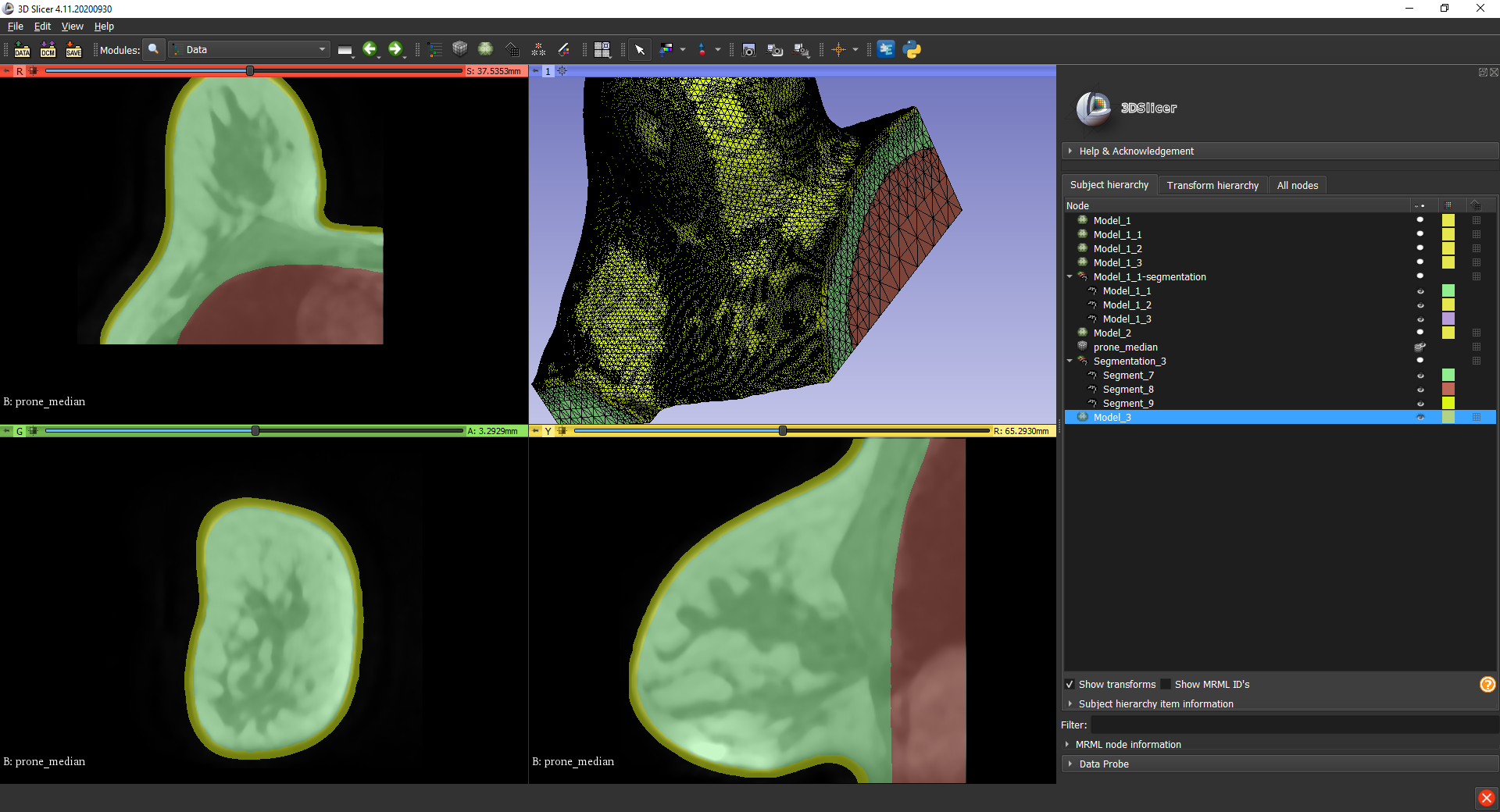
The resultant mesh had about **1,000 more tets** , but the **min dihedral angle = 4.10604**!!!
I hope people find this useful,