# Wrong centerline extracted
**URL:** https://discourse.slicer.org/t/wrong-centerline-extracted/20705
**Category:** Support
**Tags:** centerlines, vmtk-centerline
**Created:** [November 19, 2021, 5:23pm UTC](https://discourse.slicer.org/t/wrong-centerline-extracted/20705 "2021-11-19T17:23:28Z")
**Posts on this page:** 2
**Page:** 1
### Author:  [@Francesca\_Pittoni](https://discourse.slicer.org/u/Francesca_Pittoni)
#### Post date: [November 19, 2021, 5:23pm UTC](https://discourse.slicer.org/t/wrong-centerline-extracted/20705/1 "2021-11-19T17:23:28Z")
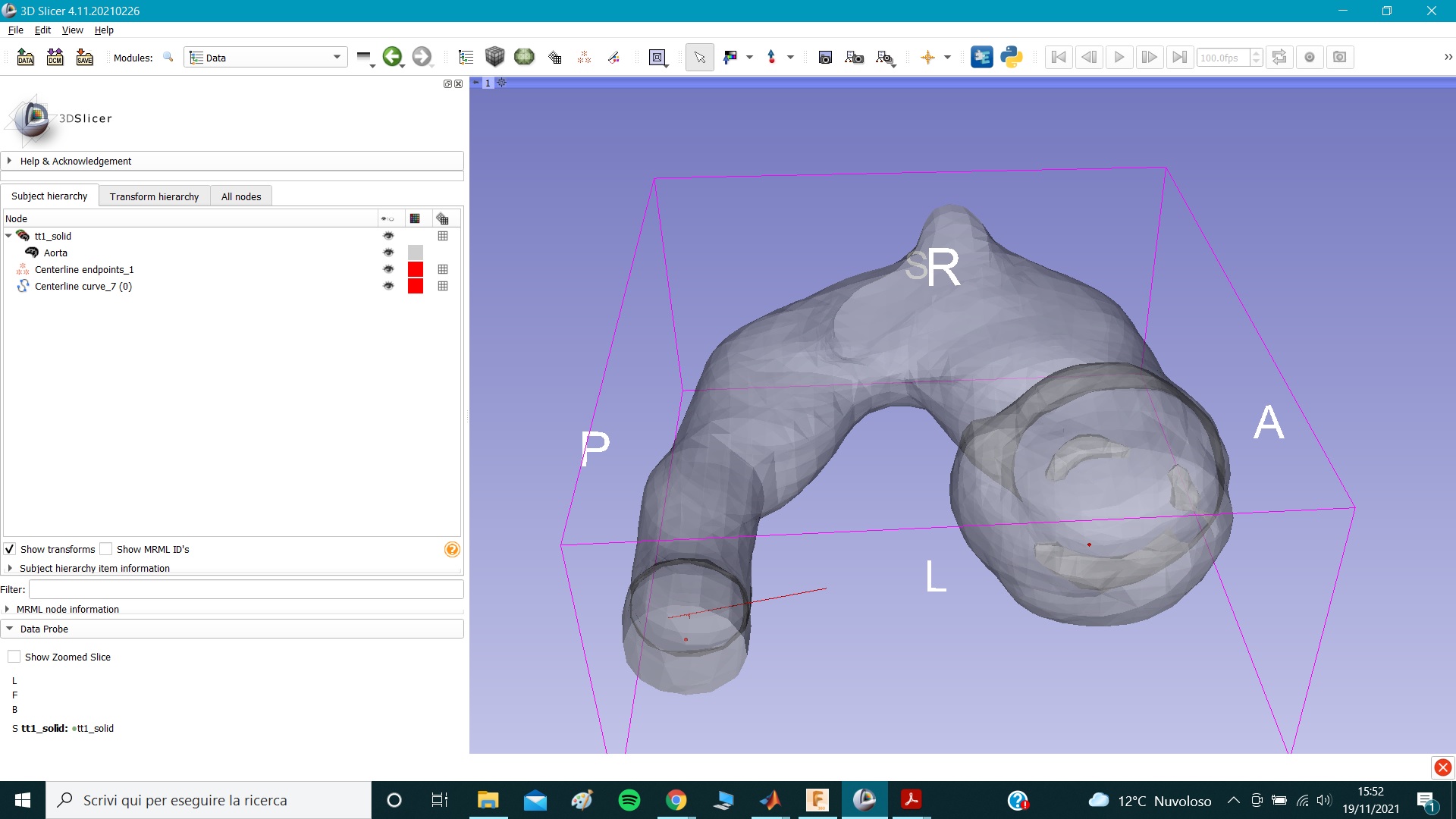
Hi,
I’m trying to extract the centerline of this piece of aorta, but this is my result.
I followed all the steps of the tutorial on youtube ([Vessel segmentation and centerline extraction using 3D Slicer and VMTK - YouTube](https://youtu.be/caEuwJ7pCWs))…
---
### Author:  [@chir.set](https://discourse.slicer.org/u/chir.set)
#### Post date: [November 19, 2021, 7:44pm UTC](https://discourse.slicer.org/t/wrong-centerline-extracted/20705/2 "2021-11-19T19:44:31Z")
I usually find ‘Fill holes’ of ‘Smoothing’ effect useful in these cases. You should try different kernel sizes, as per hole sizes and segment size. Inspect your model throughout.