Odd behavior after adding a moving mask in the ANTs extension

I’ve been using the ANTs extension for registering two single-label volumes to eachother with good results. In an attempt to improve registration robustness, I started incorporating fixed and moving masks (FM, MM), but this is yielding some unexpected results. To simplify the issue I’m just focusing on a single stage affine transform. The affine transform with the fixed mask alone looks very reasonable; but if I add a moving mask to this same affine configuration (along with the fixed) the registration is much poorer. For now, the moving mask is essentially just a bounding box with zeros at the edges.

When working properly, the largest components of the final affine transform are a Z translation (shift) and a Z scaling (expansion). Something about showing the MM (in addition to FM) loses this info. As a test, I ran a “good” FM only registration but also included a 2nd dummy affine stage (following the correct/complete one), where there are zero convergence steps, but now both the FM and MM are shown. This somehow changes the 3-3 matrix value (Z scaling factor) from 1.2 (ideal) to ~1. If this dummy step only has the FM, the “affine erasure” doesn’t happen.

Trouble shooting I created a MM that is “all 1s”, expecting that it should work the same as a having no moving mask but this wasn’t the case, the all 1s MM worsened the quality.

Any chance this is a bug? Might the image origin of the moving mask be getting read improperly? Perhaps I’m just ignorant of how masks interact by design in ANTs.

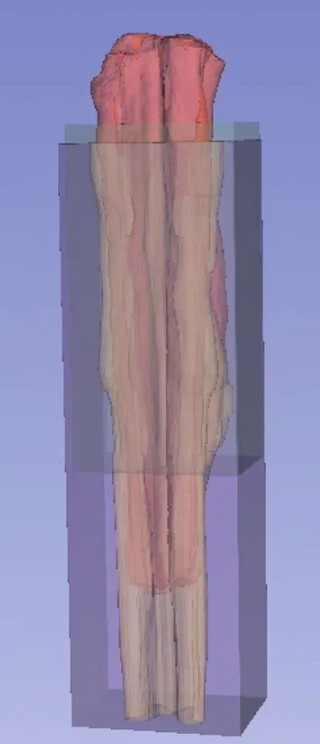
If it’s any help I’m including an image
Red: Fixed volume (my tissue); Yellow: Moving volume (atlas); Green: fixed mask; Purple: moving mask

**Note, this doesn’t show the dimensions of the zero values. For example, how large the virtual space of the fixed volume is.
I’ve been troubleshooting this issue for days. I’m not sure if something changed in my ANTs, but now I am convinced that even the “fixed mask” (for hiding parts of the fixed volume) is not working.

To make things easier I started playing with the demo MR data here. I am finding that the registration is identical, irrespective of if I add the fixed mask in ANTs. However, if I add the fixed mask in the Elastix extension, it changes the registration, as expected.

Can anyone confirm that the fixed or moving masks are working for them in the ANTs extension? Wonder it is a version issue, or maybe something was corrupted as I was tinkering with parameters, etc.

I should add, if anyone has some simple positive controls to test for masking I’d gladly run them and share the results here.

Thanks!

On the off chance this is a clue, I noticed that the masks have to be in the labelmap format to be seen in the “moving mask” dropdown menu. Does this sound correct or point to the issue? If recall correctly, I think Elastix can also use scalar volumes.

Hi!

I’ve been looking at this and I think the issue is actually in how the ANTs extension GUI passes mask parameters internally which explains why the same mask behaves differently depending on the stage configuration.

The “all 1s” mask behaving differently than no mask is a strong clue that the problem is in the extension layer, not ANTs itself.

There’s a way to bypass this entirely and get proper mask control, but it involves a different approach than using the extension GUI directly.

Happy to help if you want to discuss further!

1 Like

Thanks for your message. Interesting, so you are also unable to read the hide masks with the ANTs extension? Since the extension has been around so long, I wonder if the conflict arose in a newerer version of Slicer?

To my more recent post, I might have been getting distracted by the odd behavior of the moving mask. I now wonder if because it isn’t reading the fixed mask the moving mask was also getting misread. Somewhere in the ANTs documentation I vaguely recall reading that if you have a moving mask a fixed mask is obligatory.

Maybe we could keep the Slicer specific details here, and I will DM about alternative approaches. However, the GUI has been so useful for tracking my workflow and quality control. If everyone has this bug I hope it can be fixed. I’ll put in a request if you can confirm you also get the error. I’m in the process of testing it on a different machine with a fresh install.

Appreciate the help

1 Like

Happy to discuss alternative approaches over DM!

A solution. Thanks to those who helped fix and update ATNs @mhalle @lassoan @pieper @simonoxen

Ok, I pitched this problem in a forum where people were discussing using large documentation and code data bases for priming AI for working in slicer, which includes debugging! Claude spotted the bug and fixed it. Interestingly, in my hands GPT 5.2 was suggesting a similar fix with zero documentation priming, but I didn’t completely trust it.

It appears that what was happening is that if the user selected only one mask (either fixed or moving) it didn’t load it and ran with no warning.

A new slicer ants released a couple of days ago with this fixed (see link). You can either replace the suspect .py file in your existing ANTs or install the absolute latest Slicer and then find the new extension from within the GUI

@mikebind is an expert user, so he might add some comments about how well it’s working. The masks seem to change the registration in fairly sensible ways, but I haven’t probed it rigorously.

Things I plan to check:
1.) can different masks be mixed at matched at different stages (confirm at least in the CLI)?

2.) Why was I getting a funny result in the old version when adding a fixed AND moving mask (since this shouldn’t trigger this bug)? Test if this is still happening, i.e., not a separate bug to address.

Reposting because I might have accidentally deleted

Sharing more of my notes on this post after running some quality tests in slicer. I think everything is in order.

I took some dummy T1 MRI data of the head and registered two volumes to eachother with quick syn (rigid, affine, SyN). I created masks for the brain and everything but the brain (~skull) for each volume. This allowed me to hide various parts and see if the reg worked as predicted.

With “link across stages” selected for the masks, I am now able to select just one mask (either fixed or moving) and it works predictably, e.g., if I mask/hide everything but the skull with either a fixed or moving mask, the skull reg looks great but the brain is poorer. Same from brain but not skull.

The CLI that shows up under the double arrow of the ANTs GUI shows this, as expected
All_Command_lines_OK
Using single precision for computations.
Reading mask(s).
Registration stage 0
No fixed mask
Moving mask = C:/Users/sulliste/AppData/Local/Temp/1/Slicer/BBJFC_vtkMRMLLabelMapVolumeNodeE.nrrd
Registration stage 1
No fixed mask
Moving mask = C:/Users/sulliste/AppData/Local/Temp/1/Slicer/BBJFC_vtkMRMLLabelMapVolumeNodeE.nrrd
Registration stage 2
No fixed mask
Moving mask = C:/Users/sulliste/AppData/Local/Temp/1/Slicer/BBJFC_vtkMRMLLabelMapVolumeNodeE.nrrd

Next I tested if single masks can be applied at certain stages but not others, for example, just a fixed mask at the affine stage (2nd). Now the the same CLI readout looks wrong, only applying at stage 0 (rigid) (?).

Reading mask(s).
Registration stage 0
Fixed mask = C:/Users/APOM/AppData/Local/Temp/Slicer/FJEE_vtkMRMLLabelMapVolumeNodeC.nrrd
No moving mask

I thought maybe this is just a readout error so dug deeper…
Each time the ANTs extension runs it creates a report in the slicer data module. To see it, click the tab “all nodes” in the main data module, then at the bottom tick “show hidden nodes” and it will look something like the image I shared. I expanded my last run “…CLI_13” by right clicking then “edit properties”. Under the command dropdown it shows this info. Note in bold that the mask is only applied to affine, as I intended:
*–dimensionality 3 --use-histogram-matching 0 --winsorize-image-intensities [0.005,0.995] --float $useFloat --verbose 1 --interpolation Linear --output [$outputBase,$outputVolume] --write-composite-transform 1 --collapse-output-transforms 1 --transform Rigid[0.1] --metric MI[$inputVolume01,$inputVolume02,1,32,Regular,0.25] --convergence [1000x500x250x0,1e-6,10] --smoothing-sigmas 4x3x2x1vox --shrink-factors 12x8x4x2 –transform Affine[0.1] --metric MI[$inputVolume01,$inputVolume02,1,32,Regular,0.25] --convergence [1000x500x250x0,1e-6,10] --smoothing-sigmas 4x3x2x1vox --shrink-factors 12x8x4x2 **–masks [$inputVolume03,NULL] –*transform SyN[0.1,3,0] --metric MI[$inputVolume01,$inputVolume02,1,32,Regular,0.25] --convergence [100x100x70x50x0,1e-6,10] --smoothing-sigmas 5x3x2x1x0vox --shrink-factors 10x6x4x2x1

Yet to confirm single stage reg is perfectly predictable, but long story short, it seems to be applying correctly.