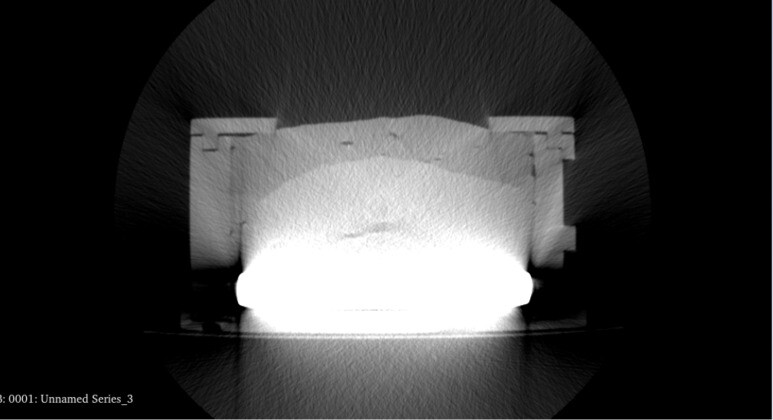
I am workin with CT scans as the one attached (I am attaching just one slice of the CT). My objective is to recognize and segment all the different layers in the scanned structure. As you can see, the lower part is a very high-contrast region, and this is covering elements in the mid-lower part of my structure. Moreover, due to this high-contrast element, the grey levels of the other layers apper very similar to each other.
I was wondering whether I could be able to filter out this white part, in order to increase the contrast between the other layers. To do so, I tried to use some 3D Slicer filtering, specifically “Threshold scalar volume”. Do you have any suggesion on this regard?
CT images have more gray levels than the human eye can distinguish all at once, so when you have an object with a wide range of densities, you typically choose a narrower range to spread the visible gray gradations across. Things which are outside this band above appear totally white, while things which are outside the band below appear totally black. Adjusting the band so you can best see what you want to look at is called windowing and leveling and is a common function of medical image viewing software, including Slicer.
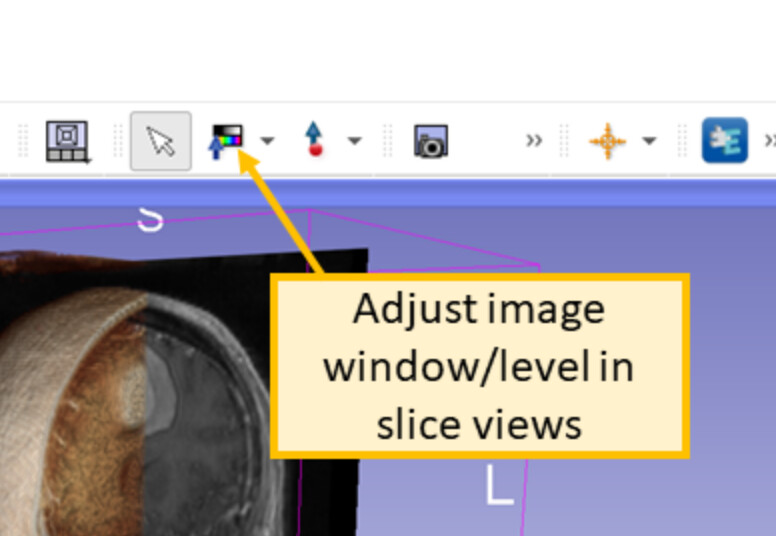
All the different density values are there the whole time, it is just a matter of which region of values you want to focus on. A useful shortcut is to use the Window/Level tool and then Ctrl-left click and drag to make a box around a region you want to have good contrast, the window and level parameters are adjusted based on the maximum and minimum voxel values within the box you draw. https://slicer.readthedocs.io/en/latest/user_guide/user_interface.html#adjusting-image-window-level