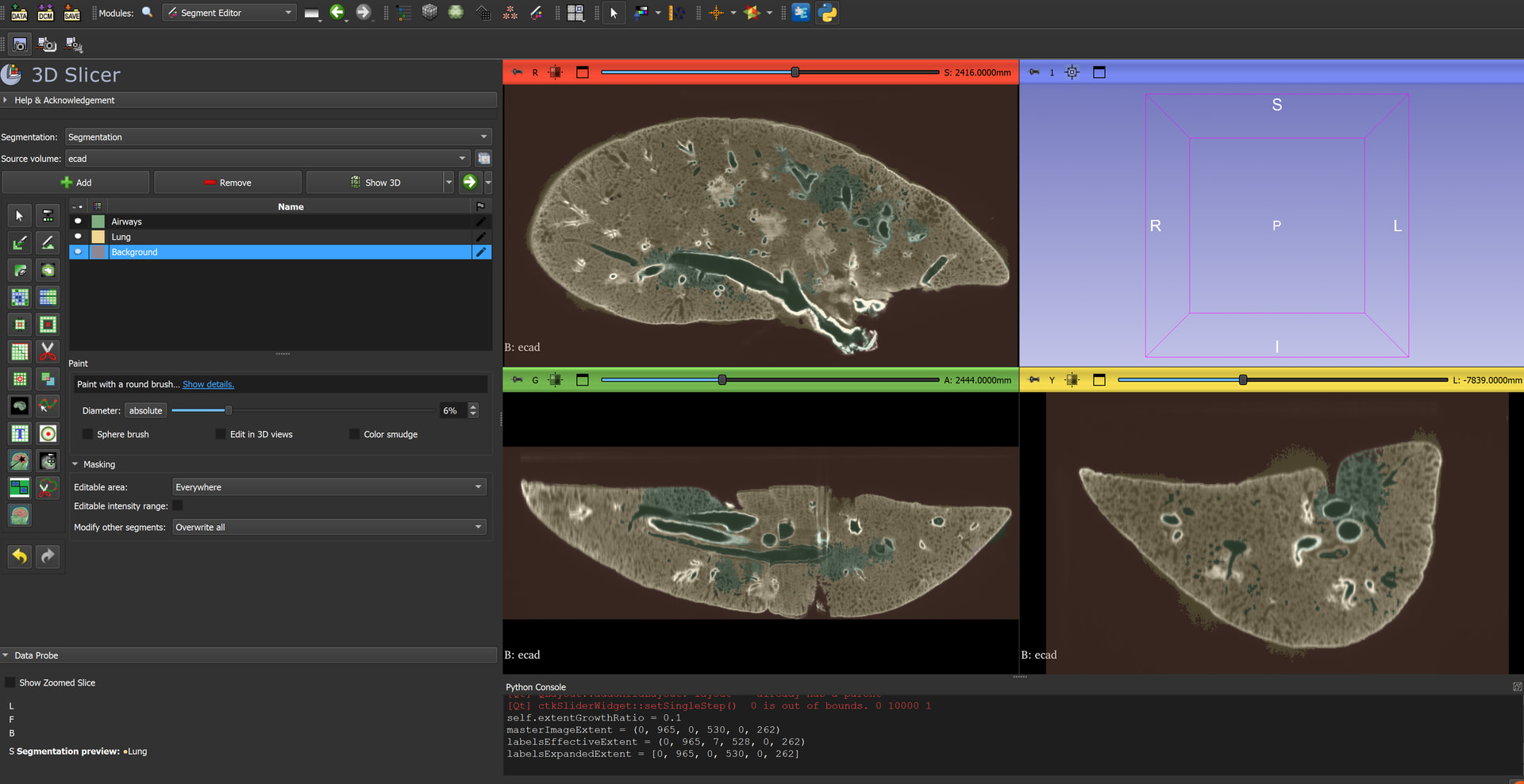
I am working with 3D slicer in hopes to segment the airway of this mouse lung, acquired from lightsheet microscopy. I would like to segment the main airways, but not the alveoli (at least not yet - I am hoping to do this in the future though) to measure the diameter of the airways and how they change in diameter as they get further away from the main bronchial tree. I have tried to use the threshold tool since it is dark in the airways, but I am still picking up the alveoli. I have also tried the grow from seeds module but it seems like it would require a lot of manual effort to get my segments how I would like them. That is fine and I can do the manual painting to fix it, but I was just wondering if there would be a more effective way to do this? I have not been able to use any of the lung/airway modules/extensions since my data is of a single (left) lung of a mouse from lightsheet microscopy and the ones I have seen are for both human lungs from CT. Thank you very much in advance for any advice you have!
Some extensions that could be helpful are NNInteractive and SegmentWithSAM, both available in the extension manager.
You could try both and see if it at least gives you an easier starting point to work with
For SegmentWithSAM make sure to normalize image values to a 0-255 range. The work would then be layer by layer, but then it gives you a way to propagate your segmentation across slices. I had success solving a similar problem to yours with it. It still takes some fiddling to get the right workflow.
The alveoli are connected and are not isolated islands, right? If they were isolated islands you could use the islands tool in the segment editor and filter out connected components smaller than a certain size. If you have an easy way to make them become disconnected then this also becomes an option
Thank you very much for your insight! I will surely give those two extensions I try. Correct, they are connected (at least generally for the most part). I agree that being able to just keep the largest island would probably be the easiest for only getting the big airways and not the tiny ones. I did not realize there was a size exclusion, I will look into that as well. We have previously done most of our image analysis in Imaris which has size tools that help make surfaces for things like this where you only want the bigger parts of the airways. Perhaps that size filter in islands could work well. In the past for a different project I did do something similar where I basically made my 3D model, then used the scissor tool to chop away and disconnect all the bits I didn’t want and used the island tool to keep the largest one. That may also work here.
If the airway becomes very thin leading up the alveoli and then bubbles out into the alveoli then you could do something like the following with the margin tool:
shrink segmentation until alveoli become severed from the main ariway
Actually, the fastest and most straightforward workflow to start with is using the Threshold effect in the Segment Editor. Since you are working with distinct structural densities, it gives you immediate, accurate initial results across all slices simultaneously.
To make the process much easier, try lowering the Opacity of your segmentation layer (you can adjust this in the segment list or advanced display settings). This allows you to see through the colorful mask, visually verifying all underlying anatomical structures and boundaries in real-time while you fine-tune the threshold range.