Creating a thick 3D model (e.g., for 3D printing) and creating a 2D cutting template (e.g., for cutting a shape from surgical fabric) are two completely different workflows. If you flatten the thick 3D model then it will flatten its entire surface area (edge and both sides), so it will not be useful.
Displaying the disk over the skull without registration, just to approximately see how much bone you need make sense. However, trying to warp the flattened disk to the bone does not sound like a valid approach to me. What would this deformable warping simulate?
Instead, if you want to create a realistic bone reconstruction plan then I would recommend to simulate the surgical procedure. For example, if you cut the bone with a straight saw then you can simulate that by placing a cutting plane, then use that plane to cut a piece from the skull, then cut it into two then move these pieces to the target location to verify that they look good. You can complete this workflow manually to test the concept (using Segment Editor and/or Dynamic modeler module) or automate it, similarly to the fibula flap bone reconstruction planner module:
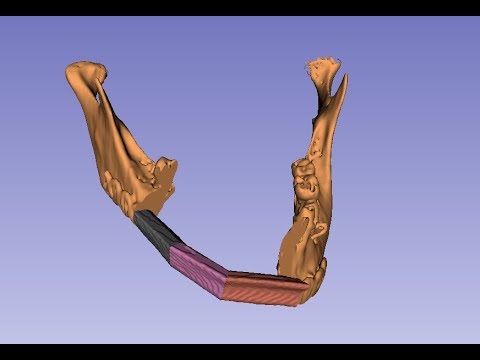
You may also consider getting a virtual reality headset, because it allows you to take bone fragments and position them as you would to it in real world (but more easily, because there is no gravity, so when you release a piece then it just stays there; you can zoom in the space as much as you want, so you can manipulate things very accurately; and you save time and money, because you don’t need to 3D print anything).
